
The Strategic Shift Toward Video-Centric Communication
The digital landscape has undergone a seismic shift over the last decade, moving from text-heavy updates to image-based posts, and finally to the current "video-first" paradigm. According to industry reports from marketing analysts such as Wyzowl and HubSpot, approximately 91% of businesses now utilize video as a primary marketing tool. This trend is not merely a preference but a response to consumer behavior; video content is shared at a significantly higher rate than static images or text-based articles.

For many organizations, however, the barrier to entry for video production was historically high, requiring expensive hardware, specialized software like Adobe Premiere Pro or Final Cut Pro, and a steep learning curve. The advent of accessible video makers, such as Canva and its integrated Magic Studio, has effectively lowered this barrier. These platforms allow users to upload existing photo libraries and, through automated tools, transform them into professional-grade video assets. This capability is particularly vital for small-to-medium enterprises (SMEs) that possess high-quality product photography but lack the budget for full-scale cinematography.
Technological Foundations of Modern Image-to-Video Platforms
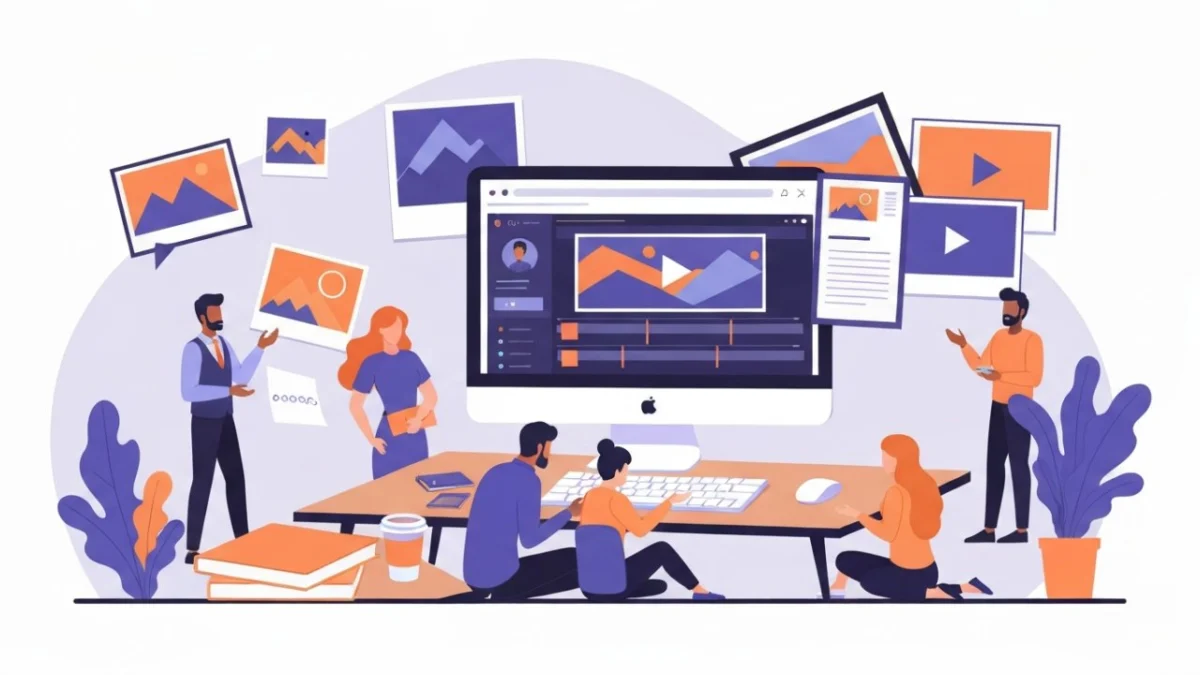
Modern video makers are built upon the principle of modular design. By utilizing a timeline-based interface that mirrors professional editing suites but simplifies the mechanics, these tools allow for the seamless assembly of visual components. The process typically begins with the "drag-and-drop" functionality, which eliminates the need for complex file management or technical understanding of codecs and bitrates.

The integration of editable templates serves as a blueprint for creative success. These templates are often categorized by platform—such as YouTube Shorts, Instagram Reels, or TikTok—ensuring that the aspect ratios and safe zones are automatically optimized for the target audience. Beyond simple placement, these platforms offer "Magic" features powered by generative AI. These tools can automatically suggest transitions, sync visual cuts to the beat of a background music track, and even generate text overlays that align with the brand’s established voice.
A Chronology of Digital Editing Accessibility
To understand the current state of video makers, one must examine the timeline of creative software development:

- 1991–2000: The era of Professional Nonlinear Editing (NLE). Software like Avid and early versions of Adobe Premiere required dedicated workstations and significant technical expertise.
- 2001–2010: The rise of consumer-grade tools. Programs like iMovie and Windows Movie Maker introduced basic video editing to the general public, though they remained tethered to desktop computers and offered limited creative flexibility.
- 2011–2018: The Cloud Revolution. Platforms began moving editing capabilities to the browser. Canva, founded in 2013, initially focused on graphic design but gradually expanded into video as internet bandwidth improved globally.
- 2019–Present: The AI and Mobile Integration Era. The launch of AI-driven suites like Magic Studio represents the current pinnacle of accessibility. Editing is now cross-device, allowing a user to start a project on a desktop and finalize it on a smartphone while commuting.
The Role of Artificial Intelligence in Creative Workflows
The introduction of AI into the video-making process is perhaps the most significant advancement in the field since the transition from analog to digital. AI-powered tools, such as those found in Canva’s Magic Studio, perform several critical functions that previously took hours of manual labor.
First, AI-driven background removal and image enhancement ensure that even amateur photography can meet professional standards before being converted into video. Second, "Magic Switch" technologies allow creators to instantly resize a single video for multiple platforms, automatically adjusting the layout to maintain visual hierarchy. Third, text-to-video and text-to-audio features enable creators to generate voiceovers and subtitles without external recording equipment.

Industry analysts suggest that the integration of AI does not replace the creator but rather acts as a "co-pilot." By handling the repetitive tasks of resizing, syncing, and basic color correction, AI allows the human user to focus on the narrative and emotional impact of the video.
Quantitative Impact: The Data Behind Video Marketing
The effectiveness of turning photos into videos is supported by compelling data. Research indicates that social media posts featuring video receive up to 1,200% more shares than text and image content combined. Furthermore, in the e-commerce sector, including a video on a landing page can increase conversion rates by more than 80%.

For businesses, the "return on effort" is a crucial metric. Traditional video production might take 20 to 40 hours of labor for a 60-second clip. In contrast, using an AI-enhanced video maker to compile high-quality images into a branded video can reduce that time to less than 30 minutes. This efficiency allows for "real-time marketing," where brands can respond to trends or news cycles with high-quality video content almost instantly.
Cross-Platform Synchronization and the Mobile Editing Revolution
One of the defining features of modern video makers is their platform-agnostic nature. The "edit wherever inspiration strikes" philosophy is enabled by cloud synchronization. When a user uploads an image to their media library via a desktop browser, that asset is immediately available on their mobile application.

This seamless experience is critical for the "creator economy," where content is often captured and edited in the field. Mobile editing convenience means that a real estate agent can take photos of a new listing, upload them to a video maker, apply a "Real Estate" template, add background music, and post a professional-looking walkthrough to Instagram before even leaving the property. This level of agility was unthinkable a decade ago.
Enhancing Narrative through Audio and Animation
A video is more than just a sequence of moving images; it is an auditory and visual experience. Leading video makers provide extensive libraries of royalty-free music and sound effects. The psychological impact of audio cannot be overstated—music sets the tone, while sound effects (SFX) provide tactile feedback to visual transitions.

Advanced platforms now offer "Audio Sync" features, where the software analyzes the waveform of a chosen music track and automatically adjusts the duration of the images on the timeline to match the rhythm. When combined with animations—such as "pop," "fade," or "drift"—static photos gain a sense of life and momentum. This technique, often referred to as the "Ken Burns effect" in its simplest form, has evolved into complex 3D zooms and motion graphics that keep viewers’ eyes locked on the screen.
Applications for Business, Education, and Beyond
The utility of image-to-video tools extends far beyond social media marketing. In the corporate world, these tools are being used to revolutionize internal communications and training.

- Safety and Compliance Training: Instead of dry, text-based manuals, HR departments are using video makers to create engaging slideshow-style videos that highlight safety protocols with clear visuals and voiceovers.
- Educational Content: Teachers and lecturers utilize these platforms to create "explainer videos" that break down complex subjects into digestible visual segments, catering to visual learners.
- Product Demonstrations: For hardware or software products, a series of high-resolution screenshots or photos can be transformed into a step-by-step tutorial, complete with callout text and instructional audio.
- Personal Milestones: On a consumer level, these tools have replaced traditional photo albums, allowing families to create "year-in-review" videos or tribute montages for weddings and anniversaries.
Broader Implications and the Future of Visual Media
As video makers continue to evolve, the line between "amateur" and "professional" content continues to blur. While high-end cinema and television will always require specialized expertise, the vast majority of digital content is moving toward a middle ground of "prosumer" quality.
The broader implication for the workforce is a shift in required skills. Basic video literacy is becoming as essential as proficiency in word processing or spreadsheet management. For the design industry, this means a move away from "production" (the act of making the video) toward "curation" and "strategy" (deciding what the video should say and who should see it).

In conclusion, the rise of the video maker as a tool for uploading and transforming images represents a significant milestone in the democratization of technology. By combining the ease of drag-and-drop interfaces with the power of artificial intelligence and cloud synchronization, these platforms have empowered a new generation of storytellers. As AI continues to advance, we can expect even more intuitive features, such as automated storytelling where the software suggests a narrative arc based on the content of the uploaded photos. For now, the ability to create polished, engaging, and professional videos from a simple collection of images remains one of the most powerful assets in the modern digital toolkit.
