

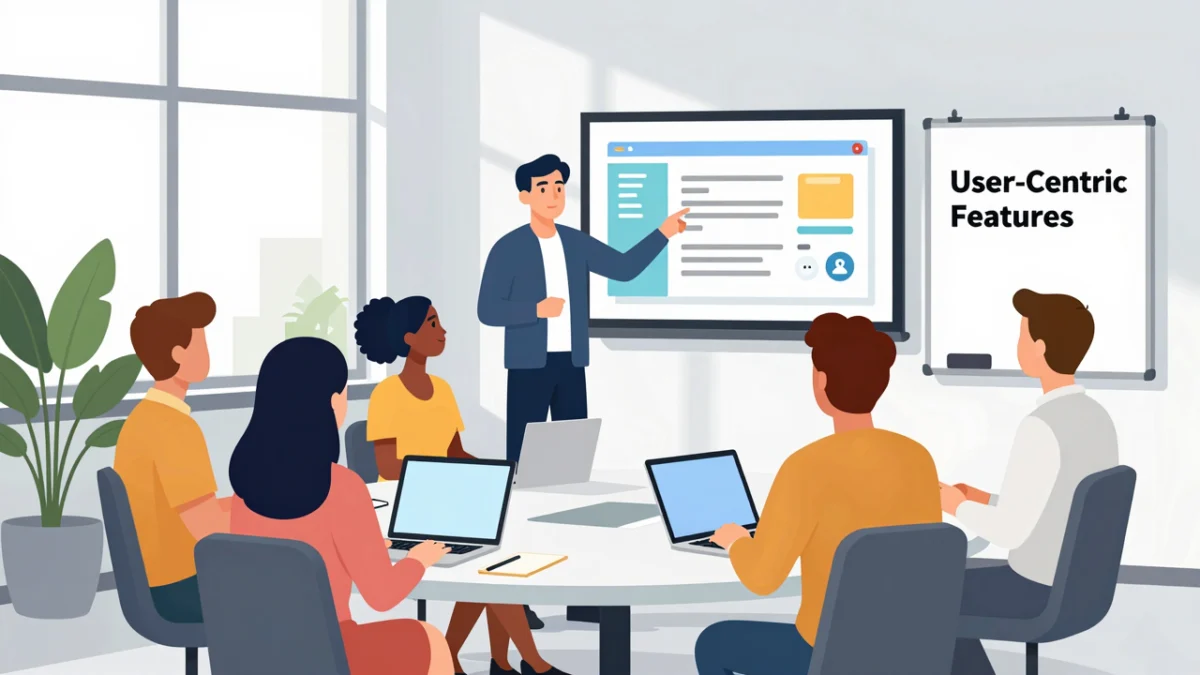
The software demonstration remains the most critical juncture in the Business-to-Business (B2B) sales cycle, serving as the definitive bridge between a prospect’s theoretical interest and a final purchasing decision. In an era where Software-as-a-Service (SaaS) markets are increasingly saturated, the ability to deliver a presentation that transcends a simple "feature tour" has become a strategic imperative for sales professionals and engineers alike. Industry data suggests that the stakes have never been higher; recent market analysis indicates that approximately 78% of B2B buyers eventually select one of the first three vendors they engage with, making the initial demonstration a high-stakes competition for relevance and trust.

The Evolution of the Software Demo: From Technical Showcase to Solution Mapping
Historically, software demos were treated as "harbor tours," where a presenter would methodically walk through every menu, button, and setting within an application. This exhaustive approach, while thorough, often led to "feature fatigue," where the prospect was overwhelmed by technical specifications without understanding how the tool would solve their specific business problems.
Modern sales methodology has shifted toward "Solution Mapping." This approach recognizes that B2B buyers today are more informed than ever; research from Gartner suggests that buyers often complete up to 70% of their journey before even engaging with a sales representative. Consequently, the demo is no longer an introduction to the product’s existence, but a validation of its utility. The modern demo must be a narrative-driven experience that positions the software as the catalyst for the client’s future success.

Phase I: Pre-Demo Intelligence and Audience Discovery
A successful software demo begins long before the screen is shared. The discovery phase is essential for gathering the "intelligence" required to tailor the presentation. Professionals are increasingly utilizing pre-demo questionnaires and discovery calls to map out the prospect’s organizational structure, technical environment, and primary pain points.
Key objectives during this phase include:

- Identifying the Stakeholders: Understanding the difference between the "User Buyer" (who uses the software daily), the "Technical Buyer" (who ensures compatibility), and the "Economic Buyer" (who signs the check).
- Isolating Pain Points: Determining if the prospect is struggling with inefficient manual processes, high customer churn, data security vulnerabilities, or limited scalability.
- Establishing Success Metrics: Asking the prospect what a "win" looks like six months after implementation.
By gathering this data, the presenter can avoid the common pitfall of showing features that are irrelevant to the audience’s specific industry or role, thereby respecting the prospect’s time and maintaining high engagement levels.
Phase II: Personalization as a Trust-Building Mechanism
Personalization is the cornerstone of engagement. In a landscape where buyers are wary of generic sales pitches, incorporating the prospect’s brand identity into the demo can have a profound psychological impact. Using the prospect’s company logo within the demo environment and utilizing their specific terminology creates a sense of "ownership" before the purchase is even made.

This level of customization extends beyond aesthetics. It involves tailoring the data shown within the software to reflect the prospect’s reality. For example, if demonstrating a CRM to a healthcare provider, the dummy data should reflect patient records and clinic schedules rather than generic retail transactions. This minimizes the cognitive load on the prospect, allowing them to see exactly how the tool integrates into their existing workflow.
Phase III: The Narrative Arc and the "Hero’s Journey"
A compelling demo follows a structured narrative. Instead of a list of features, the presentation should be framed as a story where the prospect is the hero and the software is the tool that helps them overcome a formidable obstacle.

- The Challenge: Explicitly state the problem the prospect is facing. This demonstrates empathy and deep industry knowledge.
- The Solution: Introduce the software not as a product, but as the resolution to the aforementioned challenge.
- The Evidence: Use real-world success stories and case studies. For instance, citing how a similar firm reduced reporting time by 40% using the "Automated Reporting" feature provides social proof that transcends marketing claims.
- The Resolution: Paint a picture of the "future state"—a more efficient, secure, and profitable environment made possible by the software.
Phase IV: Interactive Execution and Visual Retention
The delivery of the demo must be dynamic. Static presentations often lead to "Zoom fatigue," particularly in remote sales environments. To counter this, presenters are encouraged to incorporate interactive elements.
Interactivity Strategies:

- Live Polling: Use real-time polls to gauge which features the audience finds most valuable during the session.
- Hands-on Sandboxes: In some scenarios, allowing the prospect to "take the wheel" and perform a simple task within the software can drastically increase their confidence in the product’s ease of use.
- Scenario-Based Challenges: Present a hypothetical problem and show, in real-time, how the software solves it.
Visual retention is equally critical. Research in educational psychology shows that people retain 65% of information when it is presented visually, compared to only 10% for oral information. Presenters should use high-quality UI/UX visuals, clear diagrams for complex integrations (like API compatibility), and concise slides that highlight "soundbite" takeaways.
Phase V: Handling Objections through Open Dialogue
The Q&A session should not be relegated to the final five minutes of a meeting. Instead, the most effective demos foster an environment of continuous dialogue. Encouraging questions throughout the presentation allows the demonstrator to address concerns the moment they arise.

When a prospect raises a concern—such as data security or integration challenges—it should be viewed as an opportunity rather than a setback. Addressing these concerns promptly and transparently builds credibility. For example, if a prospect asks about encryption, the presenter should be prepared to discuss specific protocols or offer a testimonial from a high-security client. This proactive approach prevents "silent objections" from lingering in the prospect’s mind after the call ends.
Phase VI: Defining Momentum with Clear Next Steps
A common failure in software demos is the "soft close," where the meeting ends without a clear path forward. To maintain momentum, the demo must conclude with strong, actionable Calls to Action (CTAs).

The presenter should define the next steps based on the prospect’s position in the buyer’s journey:
- Discovery Stage: "Let’s schedule a deep-dive session with your IT team to discuss security protocols."
- Evaluation Stage: "I will send you a login for a 14-day trial environment pre-loaded with your sample data."
- Decision Stage: "Let’s review the contract terms and implementation timeline on Thursday."
By outlining these steps clearly, the salesperson removes friction from the decision-making process and creates a sense of urgency.

The Post-Demo Strategy: Personalized Follow-Up
The work continues after the meeting concludes. Personalized follow-up communication is essential for reinforcing the value proposition. Rather than a generic "thank you" email, the follow-up should include:
- A Summary of Key Points: Highlighting the specific pain points discussed and how the software addresses them.
- Relevant Resources: Links to case studies, whitepapers, or recorded snippets of the demo that are relevant to the stakeholders who could not attend.
- An Answer to Outstanding Questions: If a question could not be answered during the live session, the follow-up is the time to provide a detailed, researched response.
Broader Implications and Industry Analysis
The shift toward high-impact, personalized demos reflects a broader transformation in the B2B landscape. As software becomes more complex and "self-service" buying options grow, the role of the sales engineer or representative is evolving into that of a consultant.

The economic implications are significant. Companies that master the art of the demo report higher conversion rates, shorter sales cycles, and better customer retention. This is because a well-executed demo manages expectations from the outset, ensuring that the customers who sign up are those for whom the product is truly a good fit. This reduces "buyer’s remorse" and subsequent churn, which is the primary metric for success in the SaaS economy.
Furthermore, as artificial intelligence (AI) begins to automate parts of the sales process, the human element of the demo—empathy, storytelling, and relationship building—will become the primary differentiator between competing vendors. The ability to connect a technical solution to a human problem remains a uniquely human skill, making the mastery of the software demo an essential competency for the modern professional.
